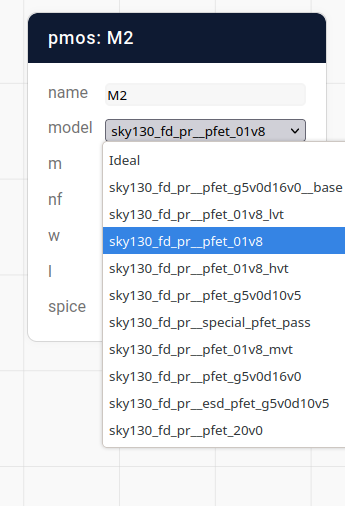
Installing a PDK in Mosaic consists of essentially two steps: getting the SPICE models, and adding them to the Mosaic database. The Sky130 PDK will be used as an example here, because at the time of writing it is the only open source manufacturable PDK out there.
If you’re using Pyttoresque templates on binder, Sky130 should already be installed.
Getting the SPICE files
The easiest way to install the Sky130 PDK is through open_pdks, a collection of scripts and patches to make the upstream PDK files work nicely with some commonly used open source tools.
Since Mosaic is typically installed using conda, the easiest way to install it is by running the following command inside your Mosaic installation. (For example by opening a terminal from JupyterLab)
conda install -c litex-hub open_pdks.sky130a
Adding Mosaic models
The laborious way to add PDK models is to do so manually in the library manager, by using the arrow on “Add schematic” to select “Add SPICE model”, and setting the spice templates accordingly.
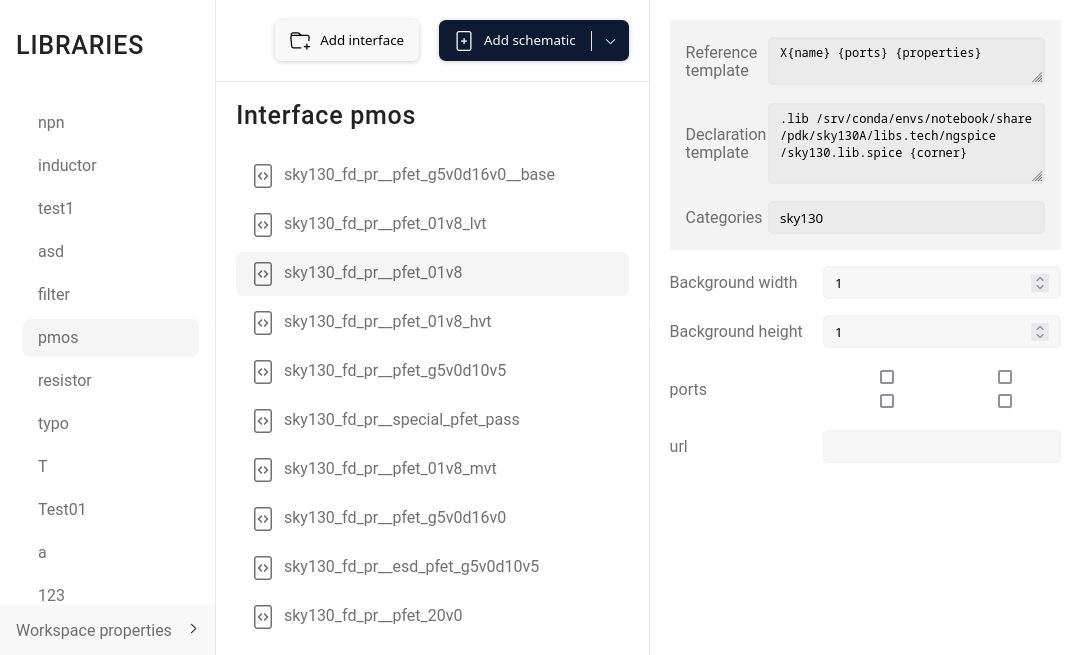
The easier way is to automate the process as has been done in load_sky130.py. At the top it defines some parameters, such as database credentials and paths. Then it takes a list of SPICE files from the command line, and uses PySpice to extract the model names. Finally, it uses aiocouch to update the database.
After that, the models can be selected in the editor